

Stop second-guessing your phrasing
Get polished English that sounds written, not translated.
For non-native English professionals
Think in your language. Write in English.
Speak like you think. Yappee cleans up the transcript, translates the meaning, and gives you polished text you can paste into work.


Built for iPhone and Mac.
Why Yappee
Yappee removes the slowest part of international work: turning a clear thought in your head into polished English on the screen.
Get polished English that sounds written, not translated.
Say the messy version once. Paste the clean version seconds later.
Prompts, emails, tickets, chat messages, meeting recaps, bullet points, and tidy transcripts.
Add your team's names, products, and technical terms once. Yappee gets them right every time.
It barely matters which language you think in. Yappee handles 50+, so chances are yours is one of them.
Speak your thoughts into your iPhone on the go. Back at your desk, pick a format and paste from your Mac. iCloud keeps everything in sync.
Enough transcription time for your busiest week.
How it works
Built for repeated daily use, not a one-off translation detour.
Use the device that is already in your hand or at your desk.
Turn the same thought into an email, AI prompt, Jira ticket, chat message, meeting recap, notes, or a tidy version.
Yappee keeps the meaning, removes speech artifacts, and gives the wording a professional finish.
Output formats
Choose the output that matches the job instead of rewriting the same thought again.
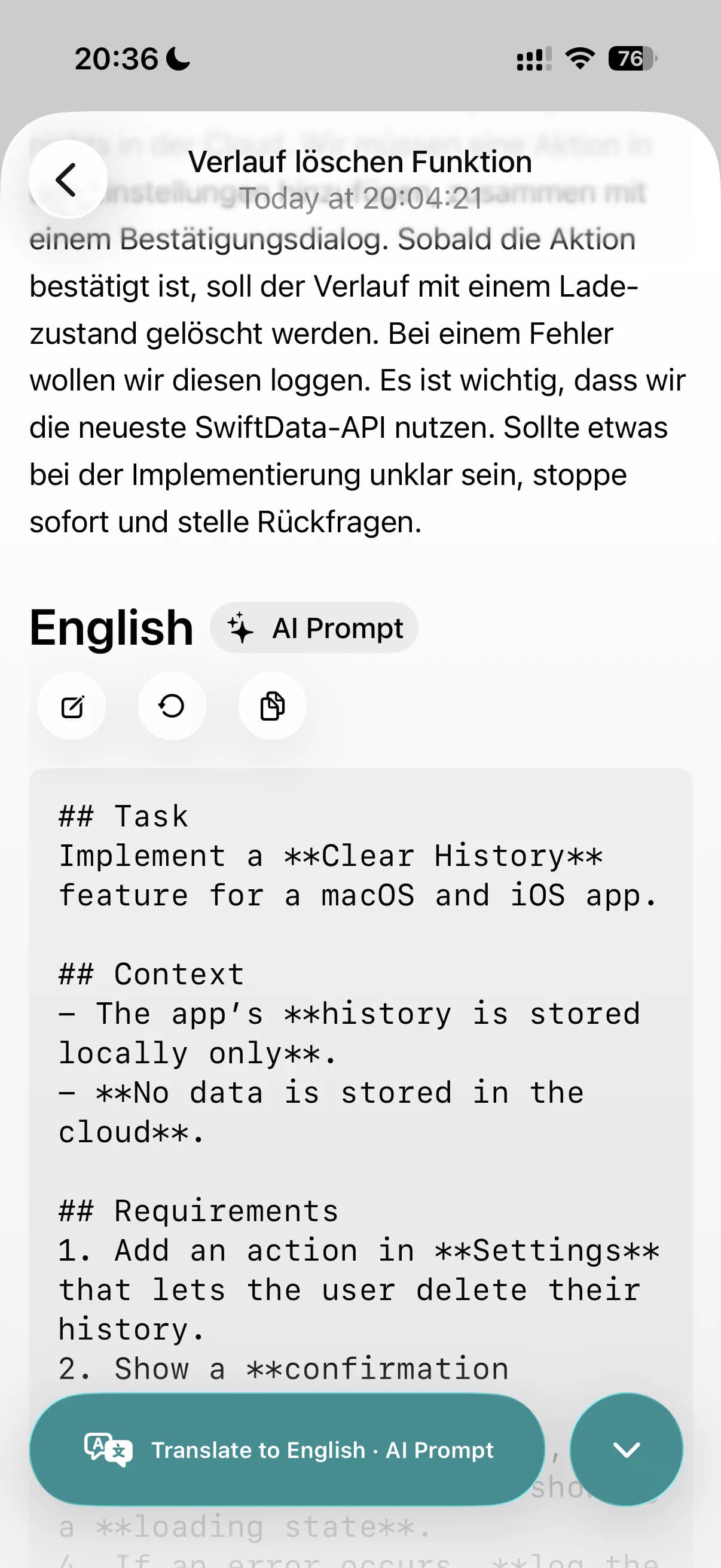
Turn rough spoken instructions into structured prompts to paste into ChatGPT, Claude Code, or Lovable.
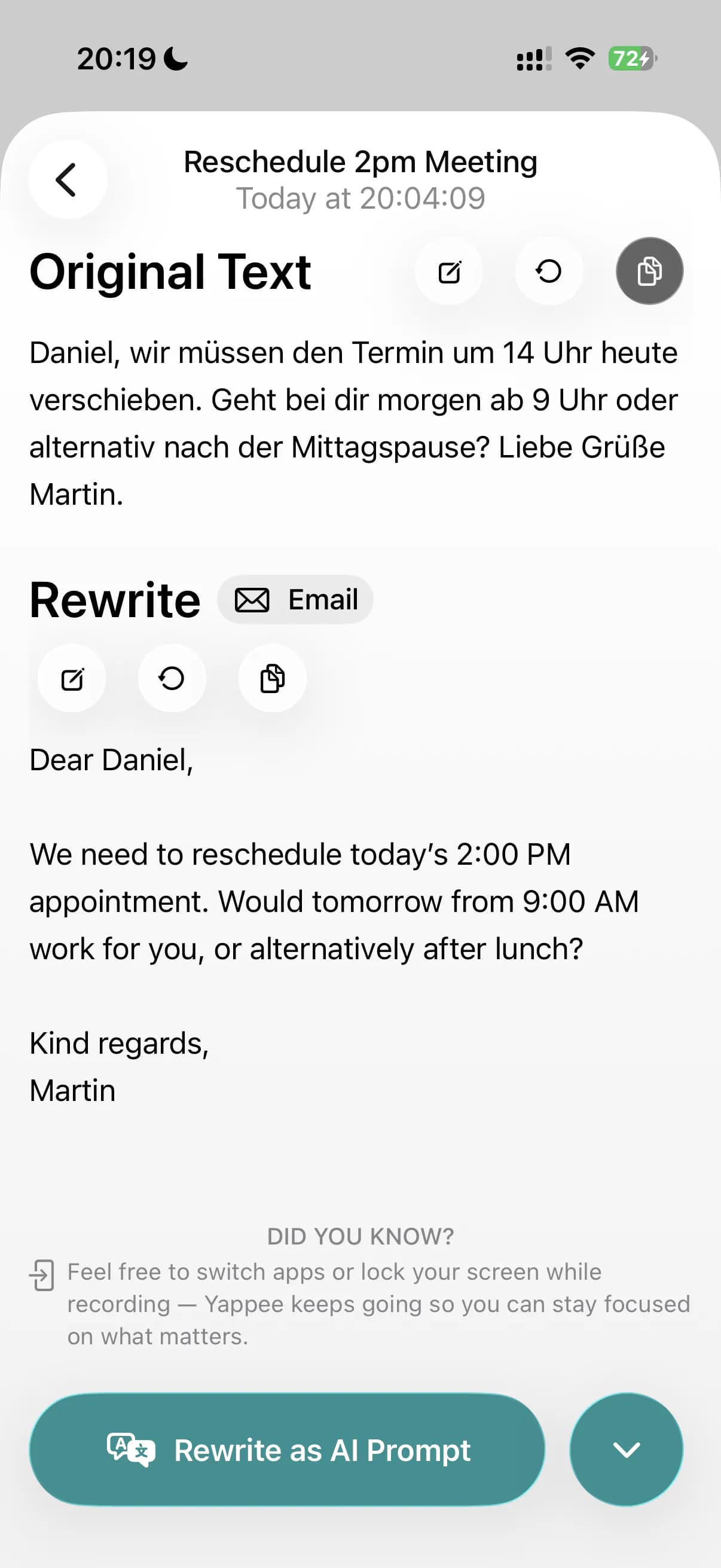
Draft warm, professional email copy without spending five minutes on phrasing.
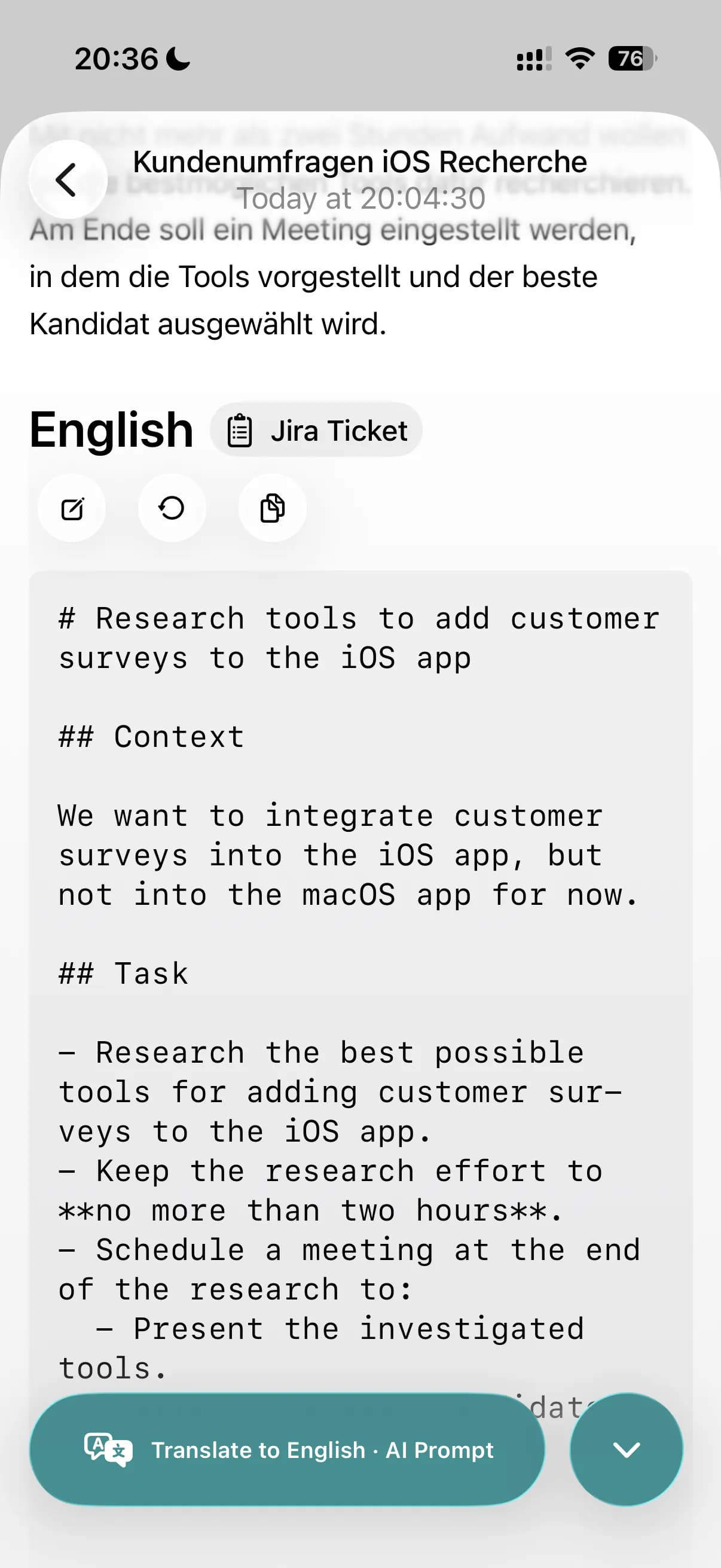
Convert context, requirements, and acceptance criteria into a clean ticket draft for Jira, Linear, and similar tools.
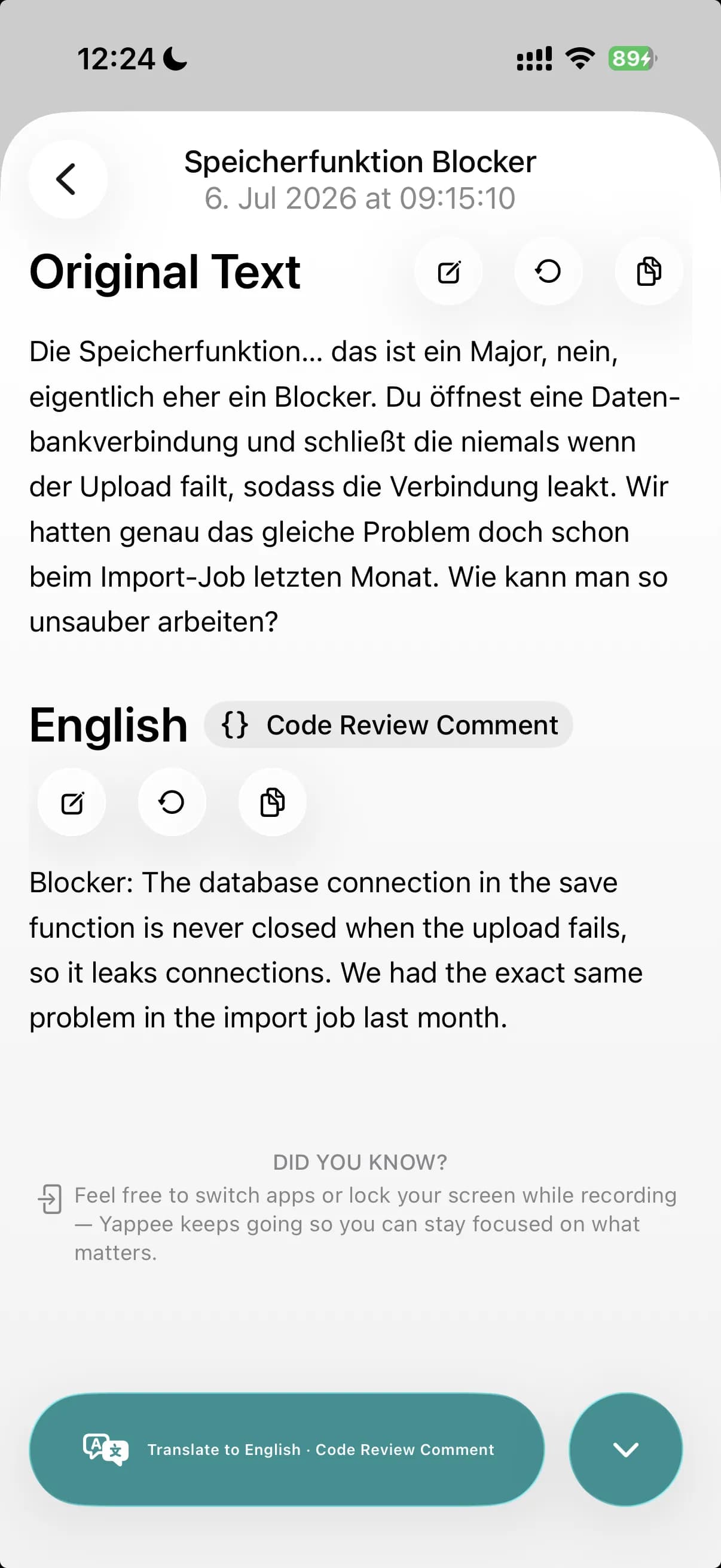
Turn spoken feedback into a constructive review comment, ready to post on GitHub, GitLab, and similar tools.
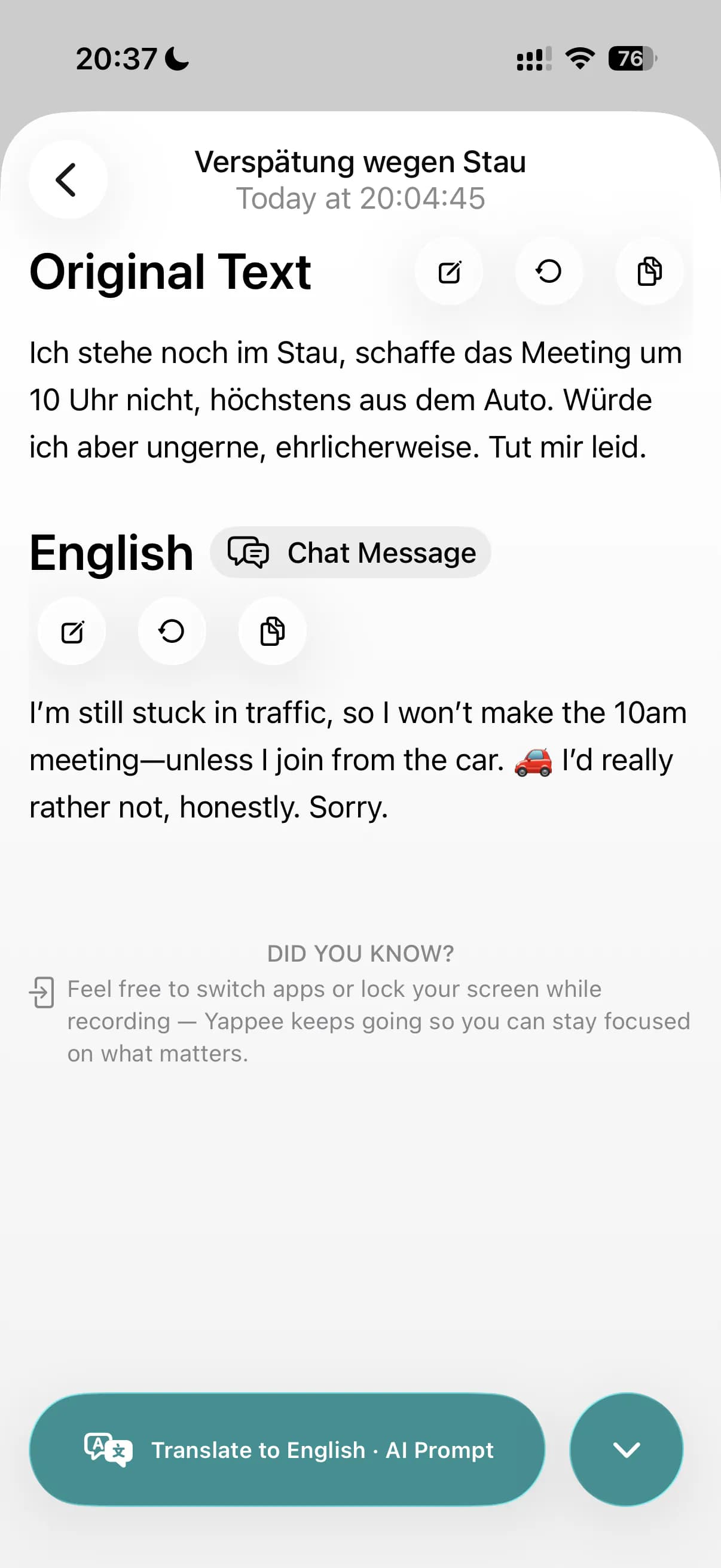
Make messages direct, natural, and easy to send — on Slack, Microsoft Teams, Mattermost, or even WhatsApp and Telegram.
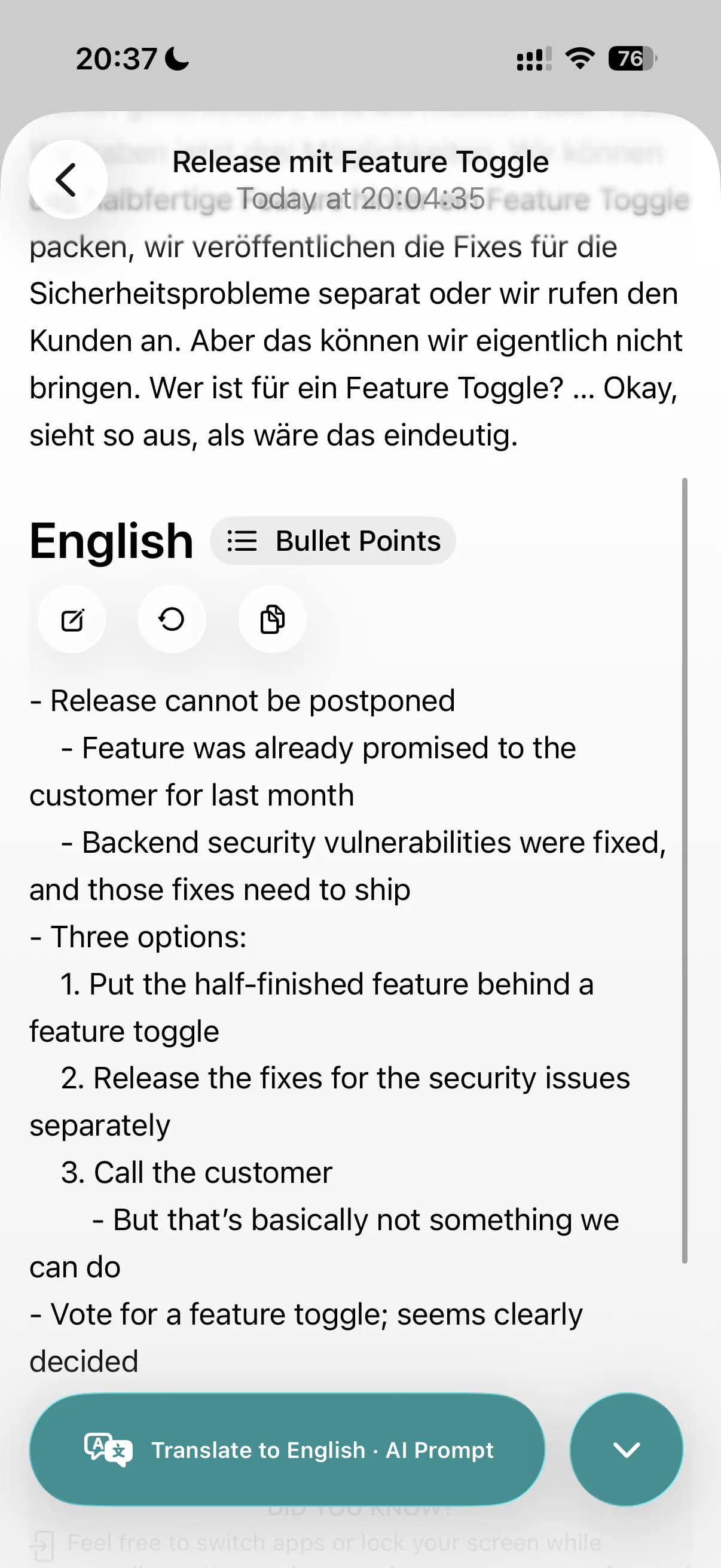
Capture scattered thoughts as compact notes that keep the important parts.
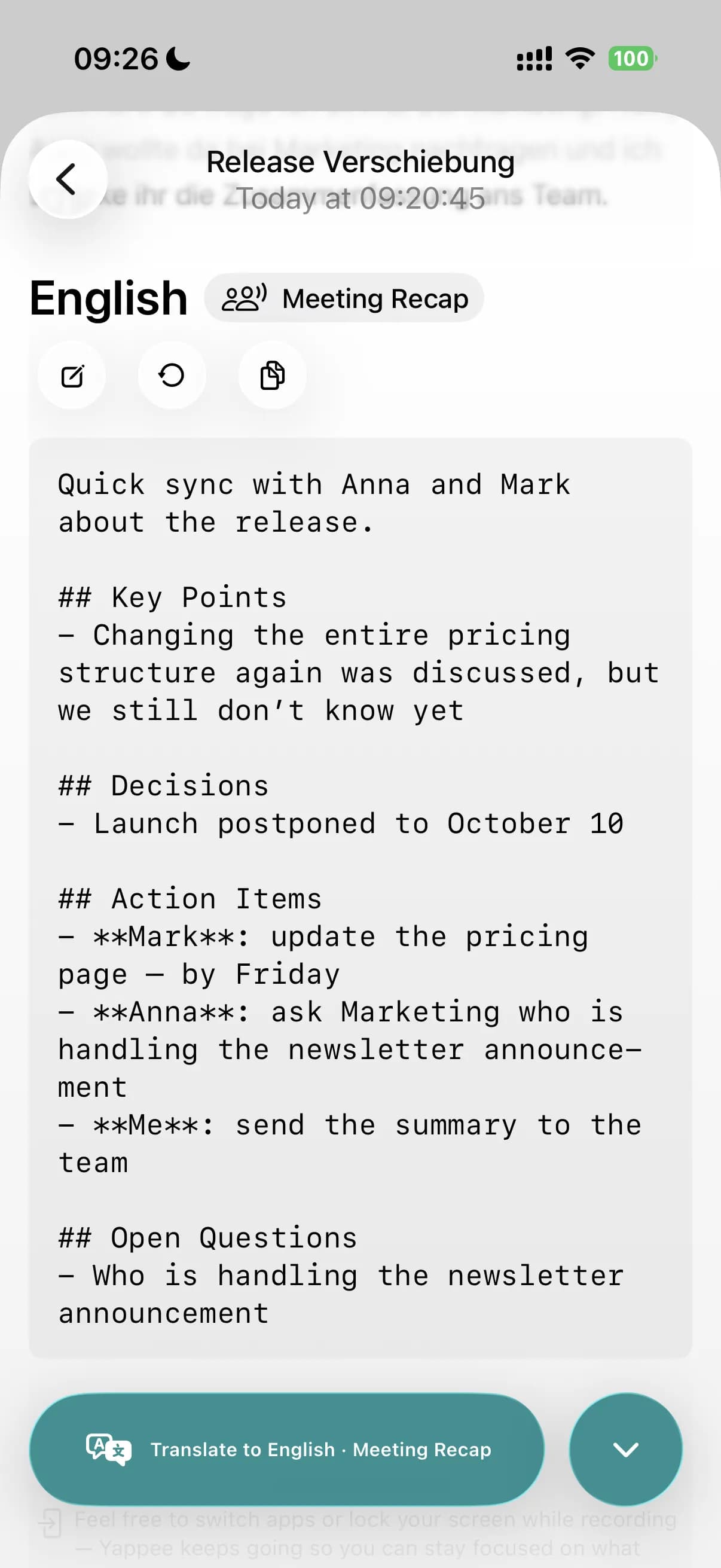
Just out of a meeting? Say what stuck, and paste clean notes with decisions and action items.
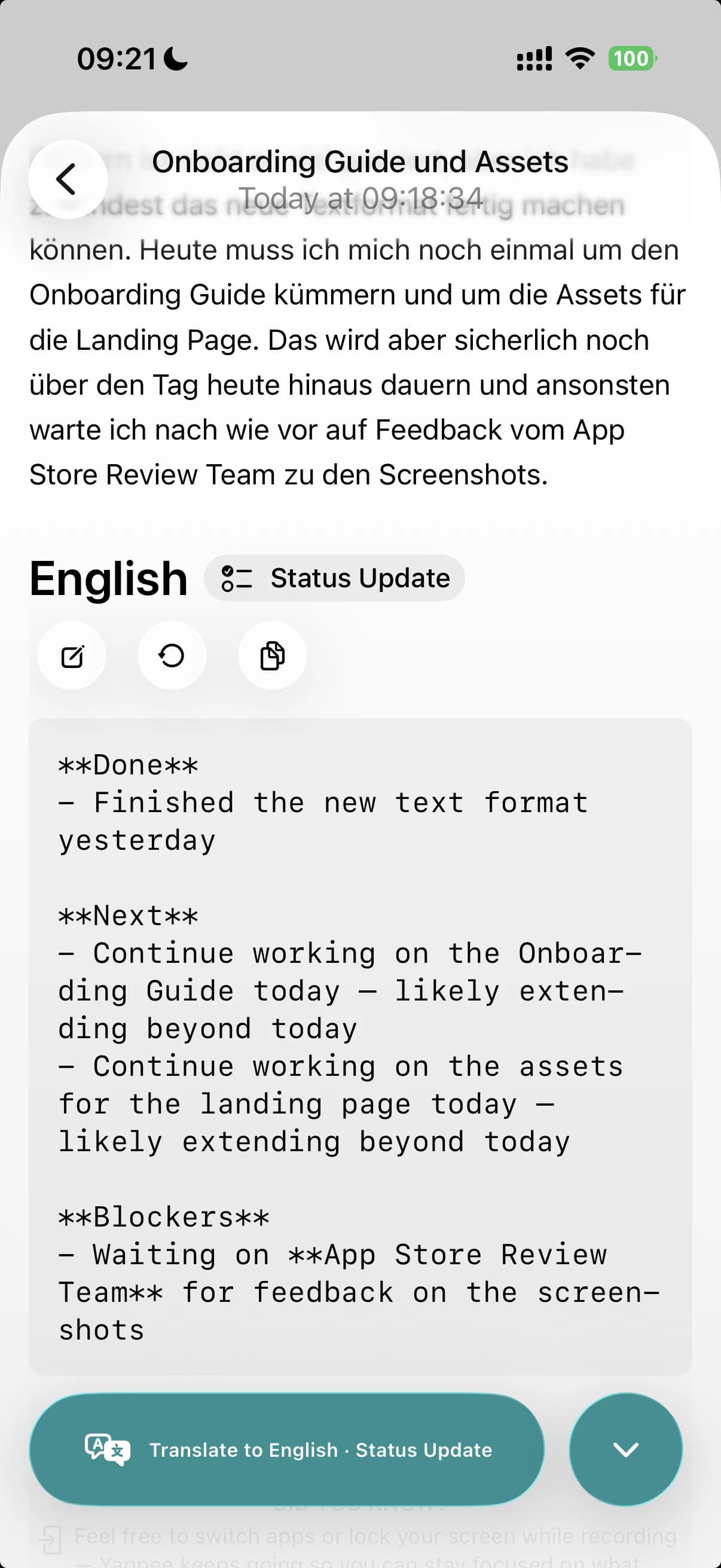
Turn a spoken update into a ready-to-post standup — done, next, and blockers — for Slack, Teams, or your project tool.
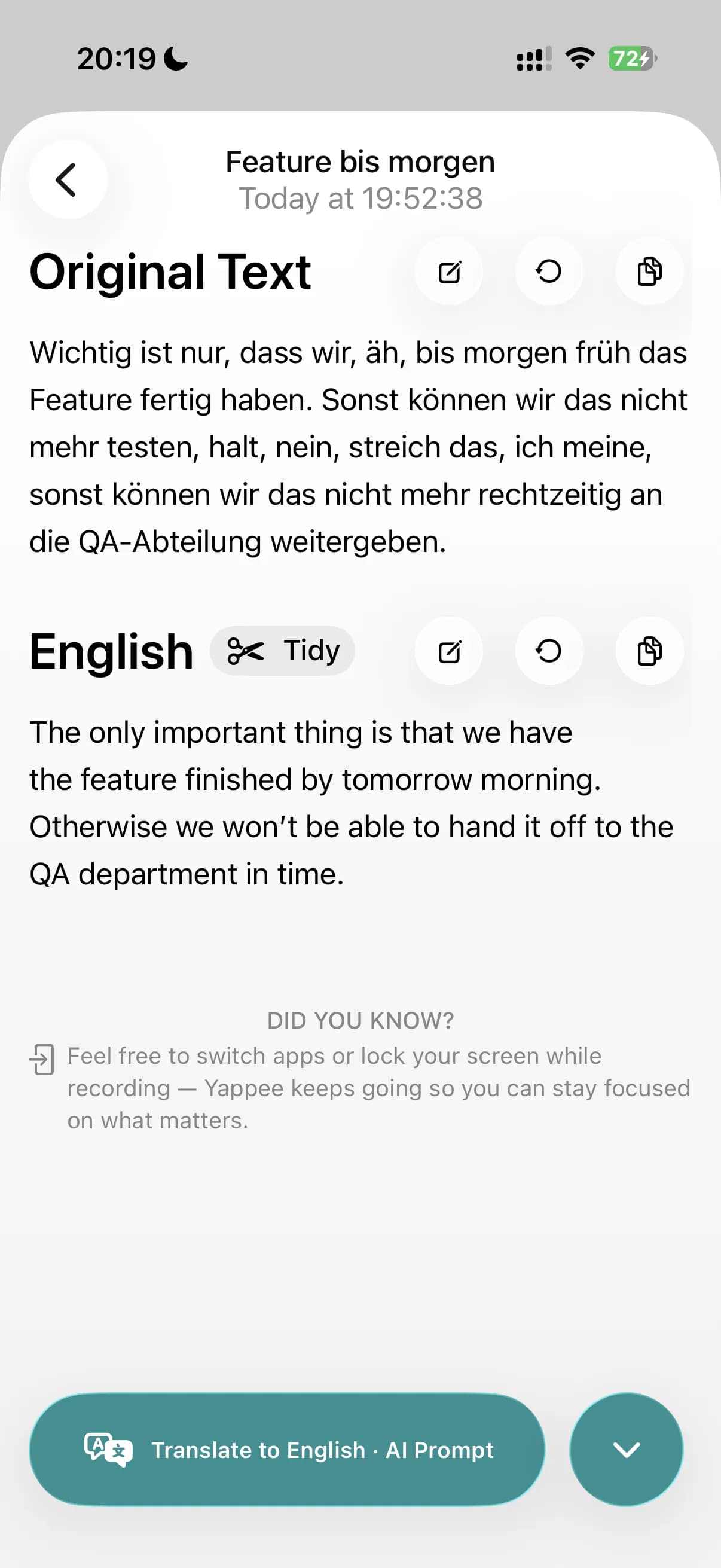
Clean up filler, false starts, and small errors while keeping your own wording.
Get Yappee
Speak. Pick a format. Paste. That is the whole workflow.
Built for iPhone and Mac.
See it in action
From a spoken thought to text you can ship — in a handful of seconds.
Trigger Yappee from the keyboard, speak a German request, paste a finished English prompt into your AI tool.
FAQ
The basics before you download.
Not just that. Yappee is a professional writing workflow for people who think faster in another language. And the translations are good. They sound natural, not literal. Still, translation is just one thing Yappee does. What actually saves you time is the whole package: no typing, no translating, no formatting. You speak in your language and paste finished work in another.
Polished English is the most common target, but only one of many. Yappee supports 50+ languages for both transcription and translation: Afrikaans, Arabic, Armenian, Azerbaijani, Belarusian, Bosnian, Bulgarian, Catalan, Chinese, Croatian, Czech, Danish, Dutch, English, Estonian, Filipino, Finnish, French, Galician, German, Greek, Hebrew, Hindi, Hungarian, Icelandic, Indonesian, Italian, Japanese, Kannada, Kazakh, Korean, Latvian, Lithuanian, Macedonian, Malay, Maori, Marathi, Nepali, Norwegian, Persian, Polish, Portuguese, Romanian, Russian, Serbian, Slovak, Slovenian, Spanish, Swahili, Swedish, Tagalog, Tamil, Thai, Turkish, Ukrainian, Urdu, Vietnamese, and Welsh.
Developers, product managers, designers, consultants, and other knowledge workers who work in English but think faster in their native language.
Emails, AI prompts, Jira tickets, meeting recaps, bullet-point notes, chat messages, and tidy transcripts. More formats are on the way.
Yes. Yappee works for you, not against you. Add names and domain terms to a custom dictionary, save preferred translations for words that always trip people up, and store your job title so Yappee can shape text from your perspective.
Yappee runs on iPhone and Mac.
You can use Yappee for free with a small weekly word limit, and Pro starts with a free trial — so you can try everything before you pay (3 days on monthly, a full week on annual). Pro lifts the limits for around $20/month or $200/year (about two months free), depending on your App Store region.
Boundaries
What Yappee refuses to do is as important as what it does.
If you didn't say it, it isn't in the finished text. No invented details, no plausible-sounding filler.
Yappee tidies the wording. It doesn't decide what's worth keeping. Every detail you spoke makes it into the output.
No keyboard accessibility hooks, no invasive permissions, no background processes. Yappee opens when you want it and stays out of the way when you don't.